
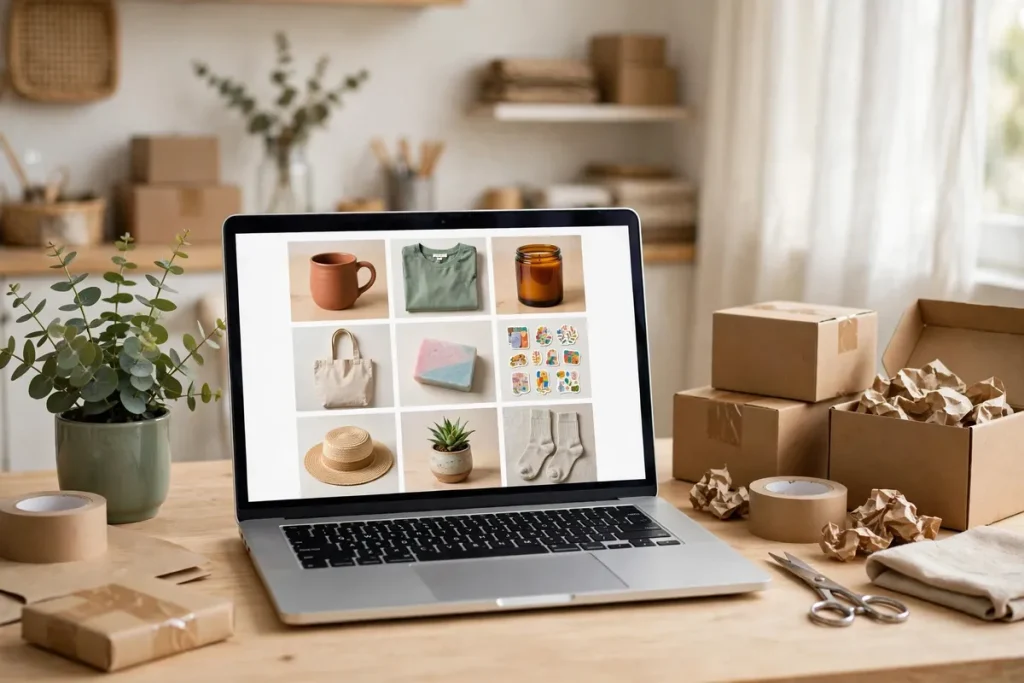

Learning how to create an online store is easier than it sounds. You do not need coding skills, a large budget, or a business degree to start. With the right platform, a clear product idea, and a simple launch plan, you can open a store in a few days and start learning what your customers actually want.
This guide walks you through the whole process, from choosing what to sell to taking your first payment. It also includes a realistic first-month cost table and a beginner-friendly platform comparison, two details many guides skip.
Before You Start: Plan in One Page
Before you buy a domain or sign up for a platform, write a short plan. Who are you selling to? What problem does your product solve? How will people find you? A one-page plan keeps you focused and stops you from spending money on tools you do not need yet. If you want a simple structure, start with a business plan outline and keep it to the essentials: your customer, product, price, and first marketing channel.
Step 1: Decide What to Sell
Start with a product you can describe in one sentence. It could be a physical product, a digital download, a handmade item, or a print-on-demand design. Look for demand first: search the product name, check marketplaces, and read customer reviews to see what buyers praise and complain about. Avoid trying to sell everything to everyone. A narrow niche, such as eco-friendly kitchen tools or planners for students, makes marketing cheaper and your store easier to remember.
Also check the practical side. How much does the product cost to make or buy? How heavy is it to ship? Can you get more stock quickly if it sells well? Products with healthy margins and simple shipping are much easier for beginners.
Step 2: Choose the Right Platform
Your platform is the software that powers your store. For most beginners, a hosted platform is the simplest choice because hosting, security, and updates are handled for you.
- Shopify: The most popular all-in-one option. Easy to set up, with many payment and shipping tools built in.
- WooCommerce: A free WordPress plugin that gives you full control. It is flexible, but you must arrange your own hosting.
- Wix: A beginner-friendly drag-and-drop builder that works well for small catalogs.
- Squarespace: A good choice if design matters most and you sell a small number of products.
- Etsy: Best for handmade or vintage items, because buyers are already browsing there, although you have less control over branding.
If you want the fastest setup, choose Shopify or Wix. If you want lower long-term costs and full control, choose WooCommerce. If you already sell handmade goods, Etsy can be a useful first channel alongside your own store.
Step 3: Get a Domain and Set Up Hosting
Your domain is your store’s address, such as yourstore.com. Keep it short, easy to spell, and close to your brand name. Avoid hyphens and unusual spellings where possible. Most platforms let you buy a domain during setup, or you can buy one from a domain registrar and connect it later.
With Shopify, Wix, or Squarespace, hosting is included. With WooCommerce, you need a WordPress hosting plan. Choose a plan with an SSL certificate, which shows the padlock in browsers and protects customer data, plus automatic backups.
Step 4: Design a Store Customers Trust
Customers decide quickly whether to trust a store. Use a clean theme, clear product photos, and simple navigation. Your homepage should explain what you sell within seconds, and every product page should answer the buyer’s main questions: what is it, what does it cost, when will it arrive, and how do returns work?
Add an About page, a Contact page, a Shipping page, and a Returns page before you launch. These pages do not take long to write, but they make a new store look professional and reduce support questions later.
Step 5: Add Products That Sell
Write product titles that include what the item is, not just a clever brand name. Describe the benefit, size, materials, and what is included. Use several photos showing the product from different angles and, where useful, in use. Set a price that covers product cost, shipping, payment fees, and a profit margin. A common beginner mistake is pricing too low and discovering that fees and delivery leave almost nothing behind.
Organize products into a few clear collections, such as Best Sellers, New Arrivals, or by product type. This helps shoppers browse and helps search engines understand your store.
Step 6: Set Up Payments, Shipping, and the Legal Basics
Offer the payment methods your customers expect, usually cards and a digital wallet such as PayPal or Apple Pay. Most platforms support Stripe, PayPal, and Shopify Payments. Check the fee for each sale, typically around 2.9% plus 30 cents, and remember that refunds and chargebacks can add costs.
For shipping, start simple: flat-rate shipping, free shipping above a minimum order, or rates calculated at checkout. Test the checkout yourself with a real order before launch so you can catch problems with taxes, delivery zones, or payment settings.
On the legal side, many beginners start as a sole trader or, in the United States, as a sole proprietorship. As sales grow, some owners form a limited liability company instead. To compare the options, read what is an LLC and check the rules in your country or state. You may also need a business license or tax registration depending on where you sell.
Step 7: Test, Launch, and Fix Quickly
Before launch, test your store on a phone and a computer. Place a test order, check confirmation emails, and confirm that links, discounts, and contact forms work. Ask a friend to try buying without help: if they get stuck, your customers will too. Fix the biggest issues first and launch; you can improve the design and add products after you are live.
Announce the launch to friends, email contacts, and social followers. A simple launch offer, such as free shipping for the first week, can turn early visitors into first customers and reviews.
How Much Does It Cost in the First Month?
Costs vary by platform, but most beginners can launch for under $100 in fixed monthly costs, plus a fee on each sale. The table below shows realistic starting ranges so you can budget honestly.
| Item | Typical first-month cost | Notes |
|---|---|---|
| Platform or hosting | $0-$39 | Shopify Basic is about $39; WooCommerce hosting often costs $3-$30. |
| Domain name | $10-$15 per year | Often about $1 per month when spread over a year. |
| Theme or design | $0-$89 | Free themes are fine to start; paid themes are optional. |
| Payment fees | About 2.9% + $0.30 per sale | Charged only when you sell, so this scales with revenue. |
| Apps and marketing | $0-$30 | Start free and add tools only when they solve a real problem. |
That puts a typical first-month total at roughly $50-$100, excluding stock. Avoid buying expensive apps, ads, and premium themes before you have proof that people want your product.
How to Get Your First Sales
After launch, focus on one or two marketing channels instead of trying them all. Search engine optimization helps over time: write helpful product descriptions, use clear titles, and publish useful content about your niche. Social media works faster for visual products, especially short videos showing the product in use. Email is also valuable: offer a small discount for joining your list, then send new arrivals and restock updates.
Track what works. Check which pages get visits, which products get added to carts, and where shoppers drop out. Small improvements, such as clearer photos or faster shipping information, often matter more than a bigger advertising budget.
Final Thoughts
Creating an online store is a step-by-step process, not a single big decision. Choose a focused product, pick a platform that matches your skills, keep costs low, and launch before everything feels perfect. Your first customers will teach you more than weeks of planning ever will.
Frequently Asked Questions
How much does it cost to create an online store?
Most beginners spend about $50-$100 in the first month on a platform, domain, and basic tools, plus payment fees of about 2.9% plus $0.30 per sale. Stock costs are extra.
Do I need technical skills to create an online store?
No. Hosted platforms such as Shopify and Wix use drag-and-drop tools, so you can build a store without writing code.
Which platform is best for beginners?
Shopify is usually the easiest all-in-one choice, while WooCommerce is best if you want full control and lower long-term costs.
Do I need a business license to sell online?
It depends on your location and what you sell. Check local business, tax, and product rules before you start selling at scale.
How long does it take to launch an online store?
A simple store can be ready in a few days. Most beginners take one to two weeks, including product photos, descriptions, and checkout testing.