
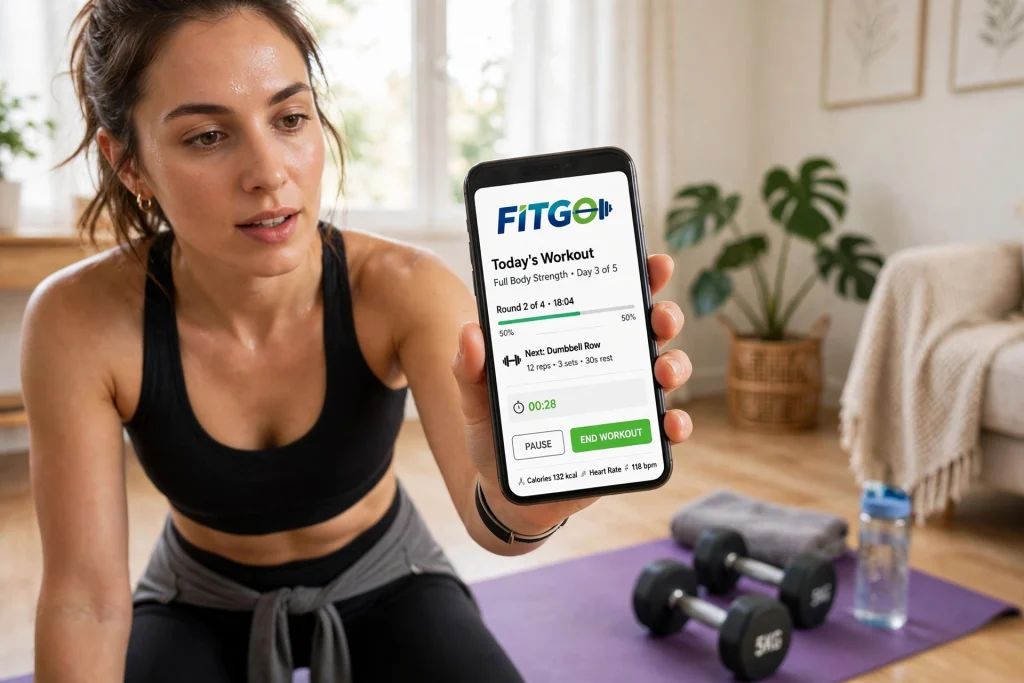

Finding the best application for workout training can change the way you exercise. A good workout app gives you a plan, shows you how to do each move, tracks your progress, and keeps you motivated when willpower fades. The wrong app, on the other hand, can leave you confused, bored, or injured. With hundreds of workout apps available, the best choice depends on your goal, your fitness level, and how you like to train.
This guide compares the best workout apps for strength, running, yoga, home workouts, and general fitness. It explains what to look for, how much the leading apps cost, and how to choose one that fits your life. You will also find a comparison table, tips for staying consistent, and answers to the questions people ask most before paying for a workout app.
What Makes a Workout App the Best?
A great workout app starts with a clear plan. It should tell you what to do each day, how many sets and reps to do, and when to rest. A library of random workouts is not a plan. The best apps build a programme around your goal, whether that is building strength, losing weight, running further, or simply moving more.
Good instruction matters just as much. Video demonstrations, clear cues, and form tips help you do each exercise safely. An app that only lists exercise names, with no video or explanation, is hard to follow, especially for beginners. Look for apps that show the movement from more than one angle and explain common mistakes.
Tracking and progression are also important. A workout app should record your weights, times, and distances, and show you how you are improving over weeks and months. Progressive overload, gradually doing a little more over time, is the key to getting stronger and fitter. An app that adjusts your next workout based on your last one will help you progress faster than one that repeats the same routine every week.
Finally, consider the practical details. Does the app work offline? Does it connect to your watch or heart-rate monitor? Can you do the workouts at home with little or no equipment, or do you need a gym? Is there a free trial, and can you cancel easily? The best application for workout training is the one you will actually use three or four times a week, not the one with the longest feature list.
Best Workout Apps Compared
| App | Best for | Key features | Equipment needed | Price |
|---|---|---|---|---|
| Nike Training Club | Free, varied workouts | Guided workouts, plans, yoga | Minimal to none | Free |
| Fitbod | Strength training | Personalised weights, progression | Gym or home gym | Paid, free trial |
| Peloton App | Classes and motivation | Live classes, cycling, running | Optional bike or treadmill | Paid, free trial |
| Strava | Running and cycling | GPS tracking, segments, social | Phone or watch | Free, paid upgrade |
| Down Dog | Yoga at home | Custom yoga, levels, music | Mat only | Paid, free trial |
| Apple Fitness+ | Apple users | Video classes, Apple Watch data | Minimal | Paid, free trial |
| Hevy | Logging workouts | Simple tracker, routines | Gym | Free, paid upgrade |
| Couch to 5K | Beginner runners | Gradual run-walk plan | Running shoes | Free or low cost |
Prices change often, and many apps offer discounts for annual plans, student plans, or family plans. Check the current price in your app store before you subscribe, and use the free trial to test the app for at least a week before you commit.
Best Application for Workout by Goal
Best workout app for strength
For strength, Fitbod and Hevy are strong choices. Fitbod creates a workout based on the equipment you have, your experience, and which muscles are recovered, and it increases the weight over time. Hevy is simpler and focuses on logging, which suits people who already know what they want to do and just want a clean record. If you prefer guided classes, Peloton also offers strength classes with clear instruction.
Best workout app for running
For running, Strava is the most popular choice, because it tracks your runs, shows your pace and distance, and lets you compare your efforts on popular routes. Nike Run Club is a good free alternative, with guided runs and training plans for 5K, 10K, and half-marathon distances. Couch to 5K is the best starting point if you are new to running and want a gentle, step-by-step plan that builds from walking to running.
Best workout app for home workouts
For home workouts, Nike Training Club is hard to beat, because it is free and offers a wide range of bodyweight, dumbbell, yoga, and high-intensity workouts. Apple Fitness+ and Peloton are also good if you like live or on-demand classes and want a trainer talking you through each session. Choose an app with workouts that match the space and equipment you have at home, not one that assumes you have a full gym.
Best workout app for yoga and flexibility
For yoga, Down Dog stands out because it creates a new yoga sequence every time, based on your level, focus, and available time. It is a good choice if you get bored doing the same class repeatedly. Nike Training Club and Peloton also include yoga, which is useful if you want yoga alongside strength and cardio in one app.
Best free workout app
Nike Training Club is the best free option for most people, with no subscription needed for its core workouts. Strava and Hevy also have useful free versions. A free app is a good way to build a habit before you pay for a premium plan. If you use a free app for a month and still train regularly, you will have a much better idea of which paid features, if any, are worth paying for.
How to Choose the Right Workout App
Start with your goal. Write down one clear goal, such as build strength twice a week, run 5K in three months, or do yoga three times a week. Then look for an app that is built for that goal, rather than an app that tries to do everything. A running app will not help you get stronger, and a strength app will not help you run further.
Next, think about your level. A good app should ask about your experience and adjust the difficulty. If every workout feels too easy or too hard, the app is not right for you. Beginners need clear instruction and a gradual build-up, while experienced exercisers need progression, variety, and the ability to customise workouts.
Try before you buy. Use the free version or free trial for at least seven days, and do at least three workouts. Pay attention to how easy the app is to use during a workout, when your hands may be sweaty and your attention is on the exercise. An app that is awkward to use in the gym will not get used, however good its programmes look on paper.
Finally, think about recovery and injury prevention. A workout app should include warm-ups, cool-downs, and rest days. Training every day without rest does not make you fitter faster, it makes you tired and more likely to get injured. If you have a sore joint or an old injury, choose an app that lets you swap exercises and adjust the intensity. For ankle pain or instability, for example, an ankle support can help during training, but it is not a substitute for proper rest and, if needed, professional advice.
How to Stay Consistent With a Workout App
Consistency matters more than the perfect app. Schedule your workouts like appointments, at the same time on the same days, and put them in your calendar. Start with two or three sessions a week, not six. A short workout you actually do is better than a long workout you skip.
Track your progress and celebrate small wins. Seeing your weights go up, your run time come down, or your streak grow can keep you going on days when motivation is low. Many apps show streaks, badges, and personal records, which can help, but do not let a broken streak put you off. One missed workout does not undo your progress.
Pair your training with good recovery habits. Sleep is when your body repairs muscle, so a regular sleep schedule supports your training. Our guide to the best position to sleep for your back explains how to support your spine overnight, which is especially helpful if you train hard during the day. Gentle recovery work, such as stretching, walking, or massage, can also help sore muscles, as explained in our comparison of sports massage versus massage therapy for pain relief.
Common Mistakes to Avoid
One common mistake is doing too much too soon. A new app can be exciting, and it is tempting to do a hard workout every day. That usually leads to soreness, fatigue, and quitting within two weeks. Build up gradually, take rest days, and increase the difficulty by a small amount each week.
Another mistake is ignoring form. Video instruction helps, but it cannot see you. If an exercise hurts in a joint, stop and check your form, reduce the weight, or swap the exercise. Pain in a muscle during a hard set is normal, but sharp pain in a joint is a warning sign.
A third mistake is paying for several apps at once. One app, used well, is better than three subscriptions you rarely open. Cancel apps you do not use, and keep the one that fits your routine. Check your subscriptions every few months, because free trials can turn into paid plans without you noticing.
Frequently Asked Questions
What is the best application for workout beginners?
Nike Training Club is a good free starting point, because it offers guided workouts for all levels. Couch to 5K is best for beginner runners, and Down Dog is a gentle option for beginner yoga. Choose one that matches your main goal and start with its beginner plan.
Are paid workout apps worth it?
They can be, if you use them regularly. A paid app usually offers personalised plans, progression, and more classes than a free app. Use the free trial first, and only pay if you have trained at least three times a week during the trial.
Can I get fit using only a workout app?
Yes, many people get fit with an app alone, especially for home workouts, running, and yoga. For strength, you will need at least some equipment, such as dumbbells or resistance bands, to progress beyond bodyweight exercises.
Do workout apps work without a gym?
Yes, many apps are designed for home use with little or no equipment. Look for a filter for home workouts, bodyweight exercises, or minimal equipment, and check that the workouts fit the space you have.
How often should I work out?
Most adults should aim for 150 minutes of moderate activity or 75 minutes of vigorous activity a week, plus muscle-strengthening activities on two or more days. That usually means three to five sessions a week, with rest days in between.
The best application for workout training is the one that fits your goal, your level, and your life. Start with a clear goal, try a free app or trial for a week, and choose the app you enjoy using. Stay consistent, progress gradually, and let the app support your routine, rather than letting it dictate every part of it.