
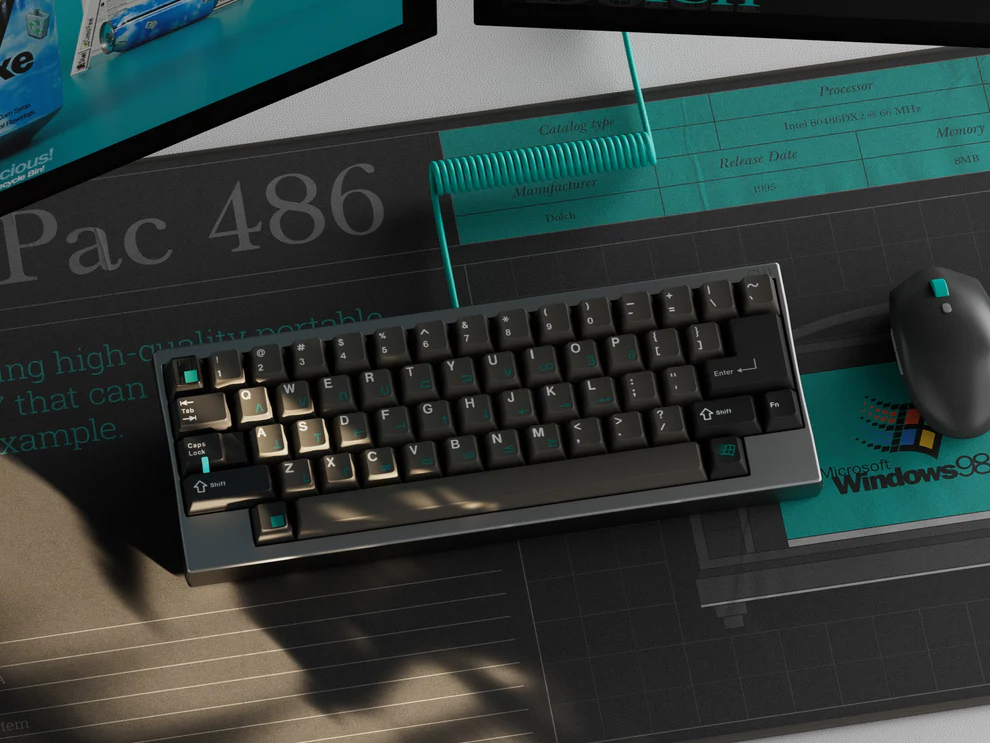

Keycaps are one of the most important components in a mechanical keyboard, yet they are often overlooked. While switches handle actuation, keycaps determine how the keyboard feels, sounds, and even how it looks in everyday use.
As mechanical keyboards become more popular among gamers, office users, and remote workers, customization demand has increased significantly. Industry research platforms such as Statista also indicate steady growth in keyboard accessories, driven by personalization and ergonomic needs.
In this guide, we will break down everything about keycaps—from materials and profiles to compatibility and selection tips—so you can confidently choose the right set for your keyboard.
What Are Keycaps and Why Do They Matter?
Keycaps are the removable caps placed on top of mechanical switches. Each keycap represents a letter, number, or function, forming the physical surface you interact with while typing.
Although simple in appearance, keycaps influence several key aspects of the typing experience:
Sound profile (deep, muted, or sharp)
Finger comfort and fatigue level
Surface texture and grip
Overall visual design of the keyboard
Even when using the same switches, changing keycaps alone can noticeably alter typing feel and acoustics.
Main Types of Keycaps
When choosing keycaps, two major factors matter most: material and manufacturing method.
ABS vs PBT Keycaps
The two most commonly used materials are ABS and PBT.
ABS keycaps are smoother and more affordable, making them common in mass-produced keyboards. However, they tend to develop a shiny surface over time with heavy use.
PBT keycaps are more durable and resistant to wear. They usually have a slightly textured feel and maintain their original appearance for much longer, which is why they are preferred by enthusiasts.
Key differences:
ABS: smooth, cheaper, but prone to shine
PBT: textured, more durable, higher quality feel
Keycap Printing Methods
Different production methods affect durability and legend quality:
Double-shot keycaps: legends are molded into the keycap, extremely durable and fade-resistant
Dye-sublimation: ink is infused into the plastic surface, great for long-lasting designs
Laser-etched: more affordable but less durable over time
Double-shot and dye-sub methods are generally preferred for long-term use.
Keycap Profiles Explained
Keycap profile refers to the shape, height, and sculpting of each key. It plays a major role in typing comfort and ergonomics.
Common profiles include:
OEM: standard profile found on most prebuilt keyboards
Cherry: slightly lower, more ergonomic, widely used for typing and gaming
SA: tall and heavily sculpted, with a retro aesthetic
DSA / XDA: flat and uniform across all rows
Each profile creates a different typing experience. Lower profiles like Cherry often feel faster and more comfortable for long sessions, while taller profiles like SA provide stronger tactile structure but require adaptation.
How to Choose the Right Keycaps
Choosing keycaps is not only about appearance—it also depends on compatibility and usage habits.
1. Check Keyboard Compatibility
Most mechanical keyboards use MX-style switches, which support a wide range of keycap sets. However, layout differences still matter:
ANSI vs ISO layouts
60%, 65%, 75%, TKL, or full-size keyboards
Non-standard bottom rows
Always confirm compatibility before buying.
2. Consider Material and Thickness
Material directly affects feel and sound:
Thicker PBT keycaps feel more solid and produce deeper sound
Thin ABS keycaps feel lighter and sound sharper
Your choice depends on whether you prefer a soft, muted feel or a lighter, more responsive typing style.
3. Choose Based on Usage
Different users benefit from different keycap types:
Gamers: often prefer smoother or lighter keycaps for faster response
Office users: usually prefer quieter and more durable PBT sets
Typing-focused users: often prefer ergonomic profiles like Cherry
4. Aesthetics and Design
Keycaps also play a big role in visual customization. Options range from minimalist monochrome sets to colorful themed designs with RGB compatibility.
Some users prioritize clean professional setups, while others prefer expressive gaming aesthetics.
Why Upgrade Your Keycaps?
Upgrading keycaps is one of the easiest ways to improve a keyboard without changing hardware.
Common benefits include:
Improved typing comfort
Better sound profile (deeper or quieter)
Enhanced durability
More personalized appearance
Better long-term usability
Even small changes in keycaps can significantly improve the overall experience.
Keycap Maintenance Tips
Proper care helps extend keycap lifespan.
Basic maintenance includes:
Removing keycaps with a puller
Washing them with warm water and mild soap
Fully drying before reinstalling
Avoid harsh chemicals, as they may damage legends or surface texture.
Regular cleaning also helps maintain appearance and hygiene, especially for frequent users.
Conclusion
Keycaps are more than decorative accessories—they are a key part of how a mechanical keyboard feels and performs in daily use. While switches control actuation, keycaps shape sound, comfort, and overall user experience.
By understanding materials like ABS and PBT, learning about profiles, and checking compatibility, you can make more informed decisions when upgrading your keyboard.
Whether your focus is gaming performance, productivity, or aesthetics, the right keycaps can significantly enhance your typing experience.
FAQs
Are expensive keycaps worth it?
In many cases, higher-quality keycaps offer better durability, more refined materials, and improved long-term feel. However, value depends on personal needs.
How long do keycaps last?
PBT keycaps can last several years with minimal wear, while ABS keycaps may develop shine earlier depending on usage.
Can I mix different keycap sets?
Yes, many users mix keycap sets for custom aesthetics. Just ensure compatibility in layout, size, and profile.